Case study · 2026
Legal AI Scorecard.
Firm-wide AI adoption, measured. One page that shows leadership who uses Microsoft Copilot, Harvey and ChatGPT Enterprise, how deeply, and where to focus next.
An internal leadership dashboard, designed and built in-house by IT
Three platforms. One answer.
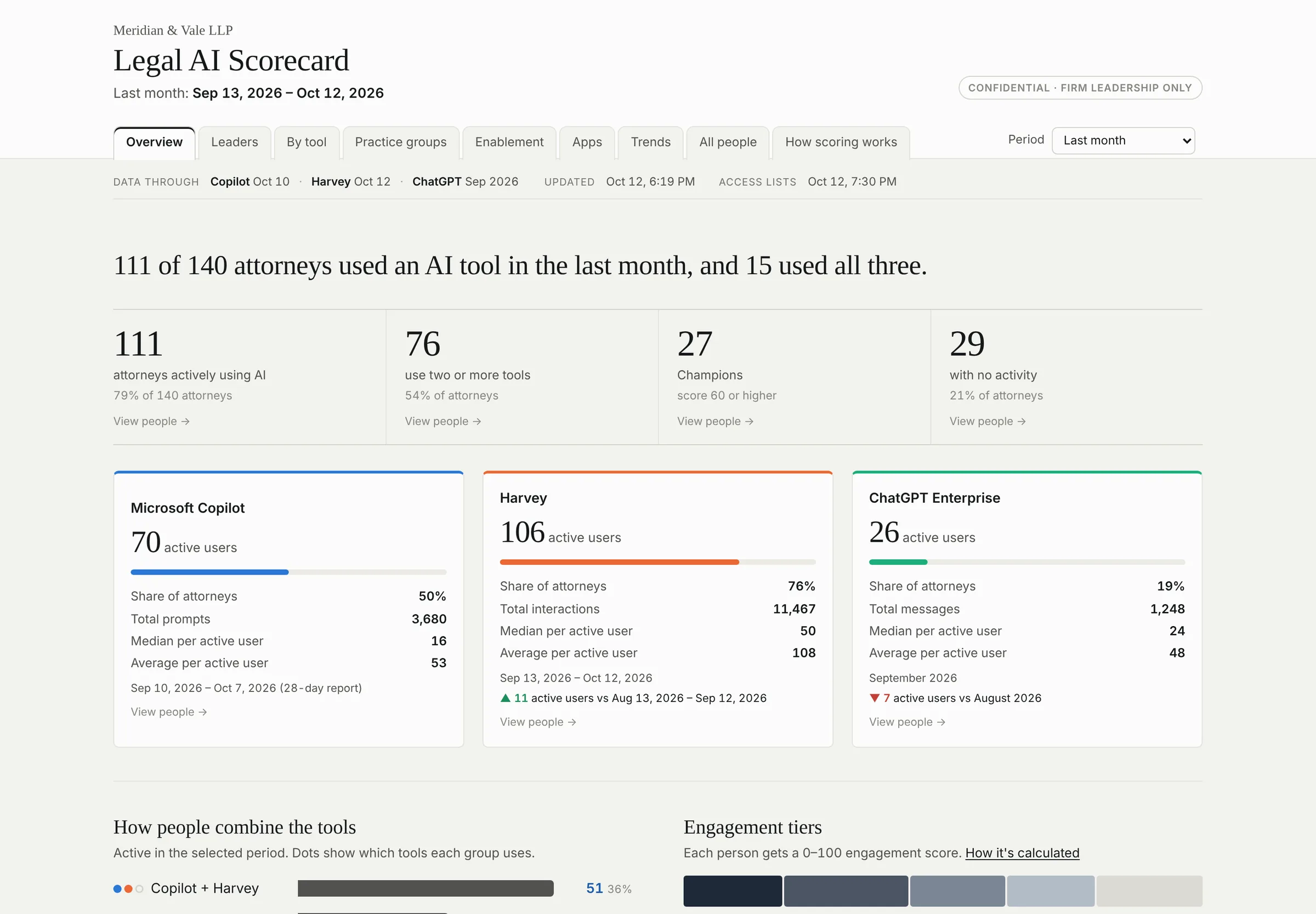
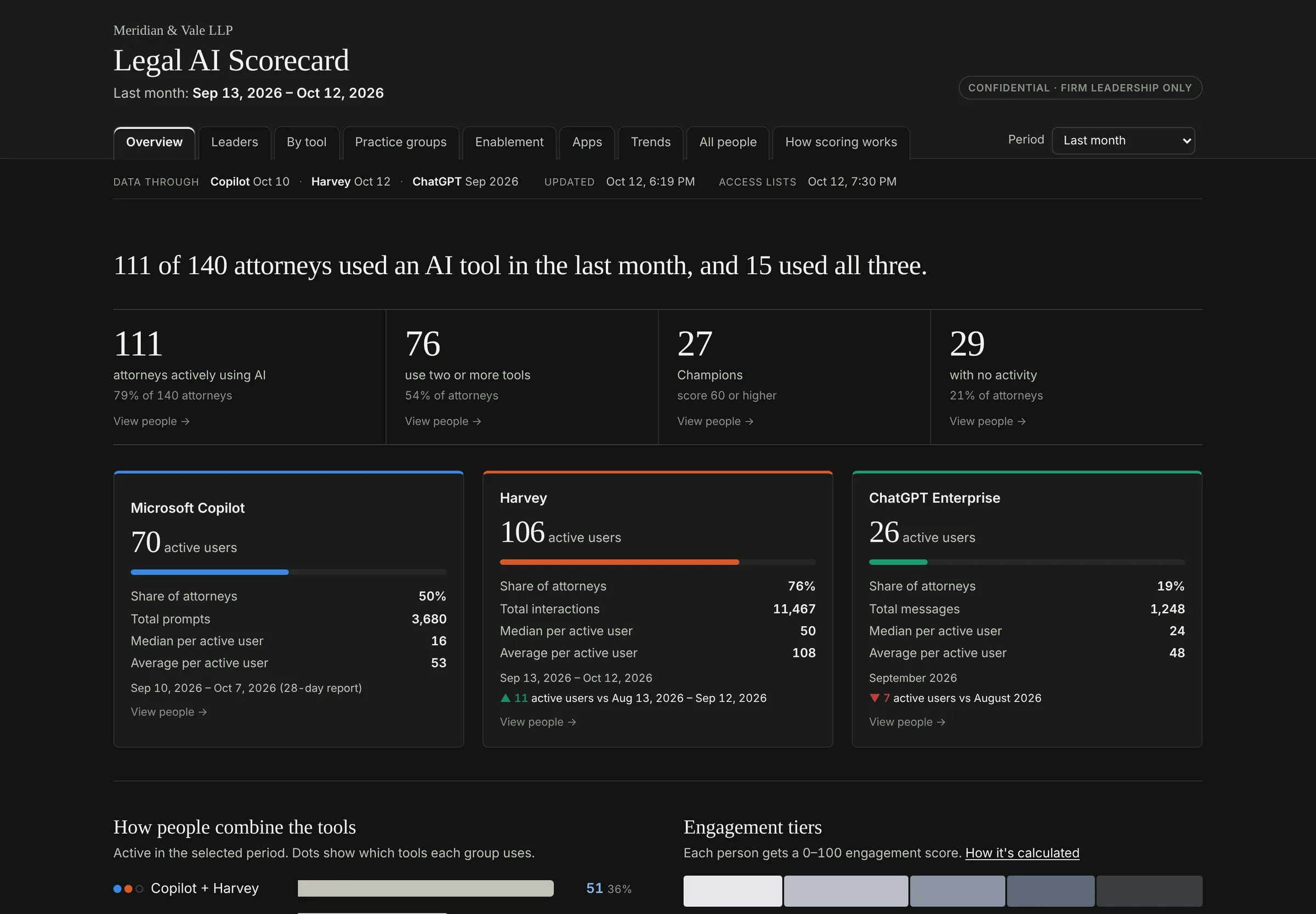
The firm licensed three AI tools, each with its own admin console, export format and idea of what “active” means. Leadership kept asking the same questions: Who is using them? Are the seats paying off? Where should training go? The Scorecard answers all three on one page, refreshed in minutes each month.
The whole firm, at a glance.
The page opens with a single sentence a managing partner can repeat in a meeting. Below it: headline figures, a card per tool and a “Data through” strip that says exactly how current every source is, so nobody has to ask.
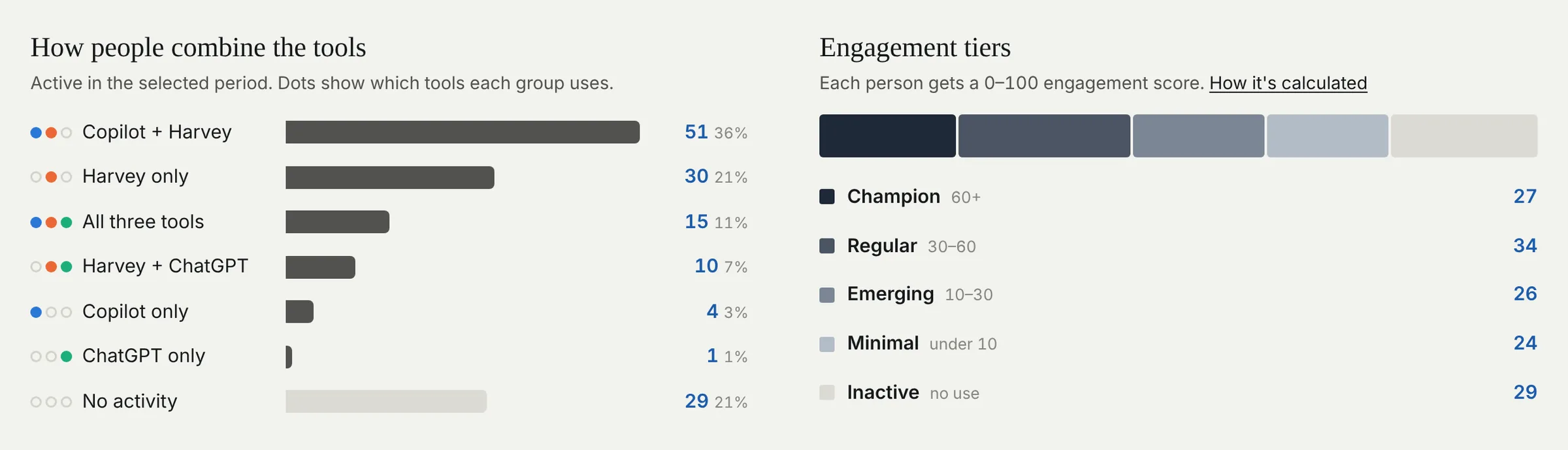
Every number is clickable. Click 27 Champions and see exactly who they are.
Every tool on its own terms.
Strongest and lightest users, people who have access but haven’t touched it, and anyone still using a tool after their access was removed. License meters compare seats owned with seats assigned and seats actually used.
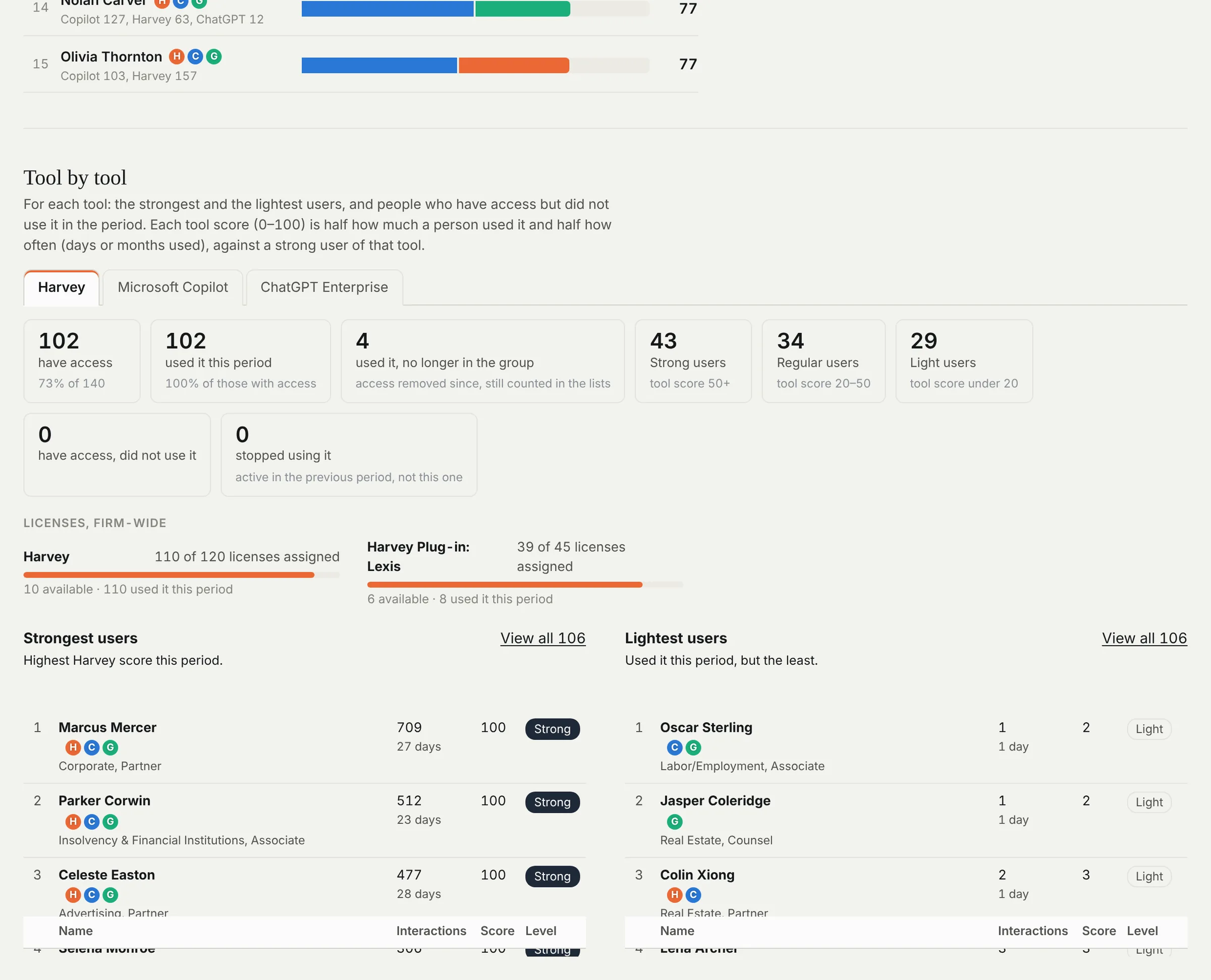
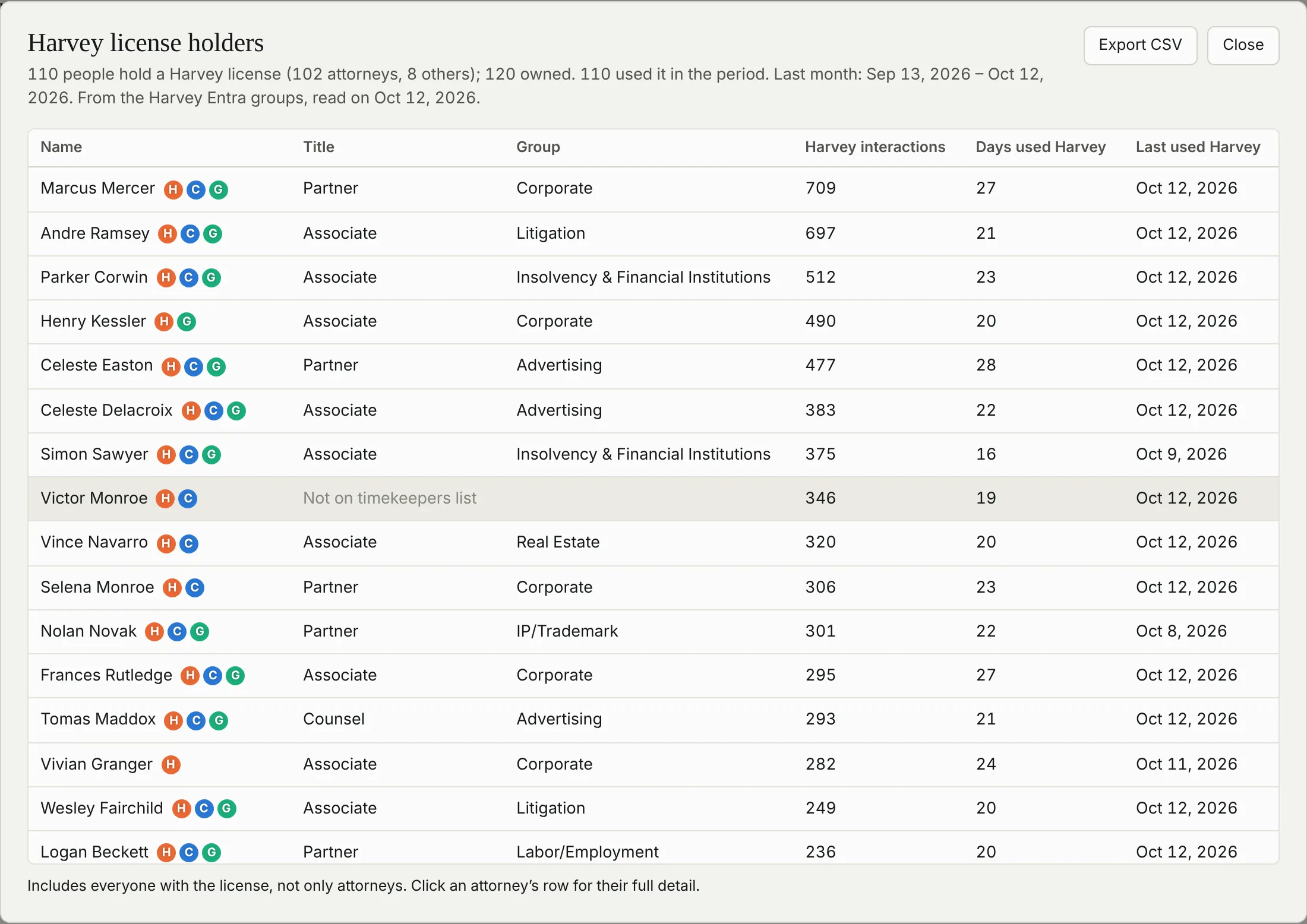
License holders, attorneys or not, with one-click CSV export for renewal conversations.
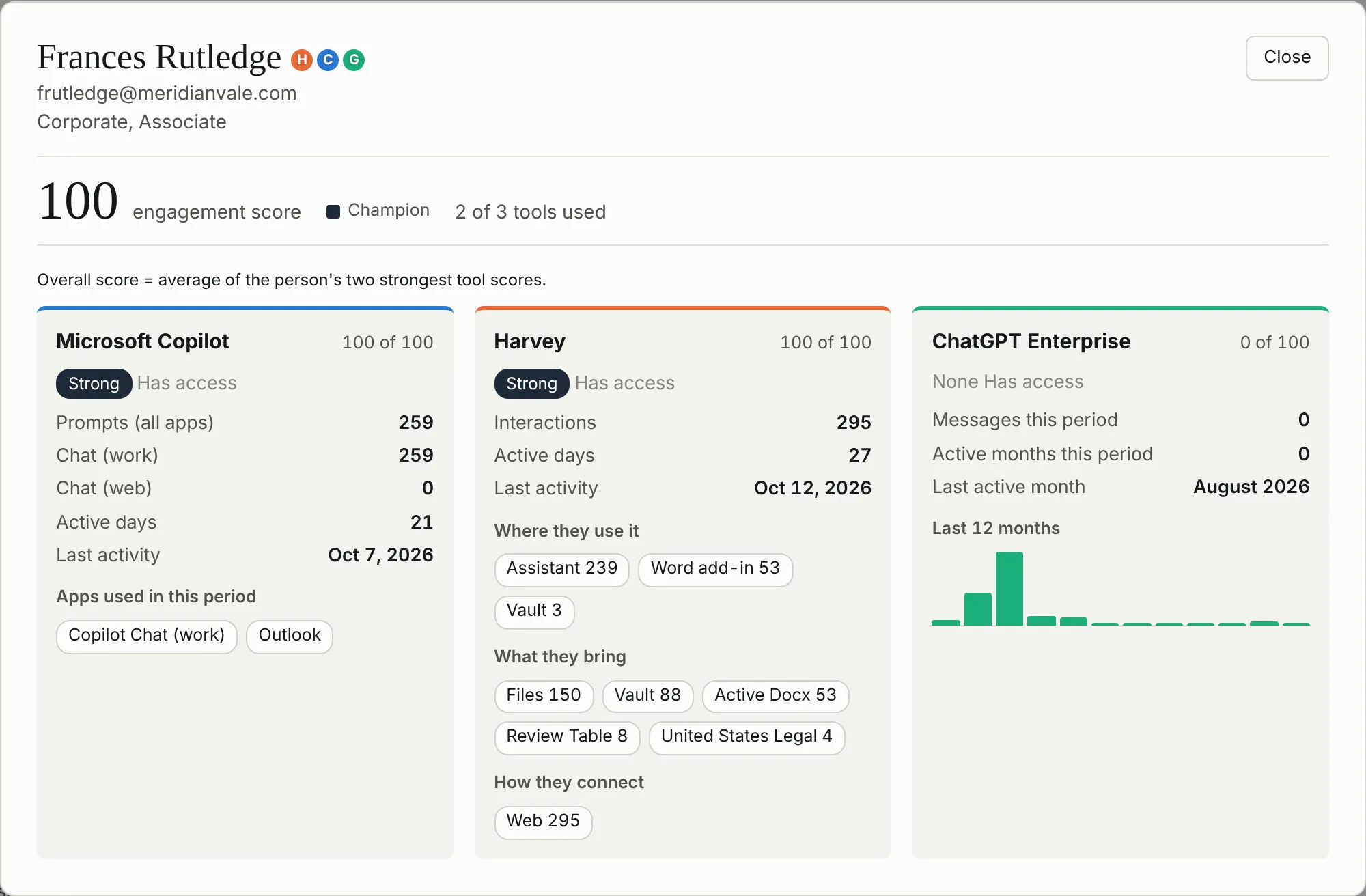
One person. The full picture.
Open anyone for their engagement score, how they use each tool, which features and sources they rely on, and a twelve-month history. The coaching conversation starts with facts.
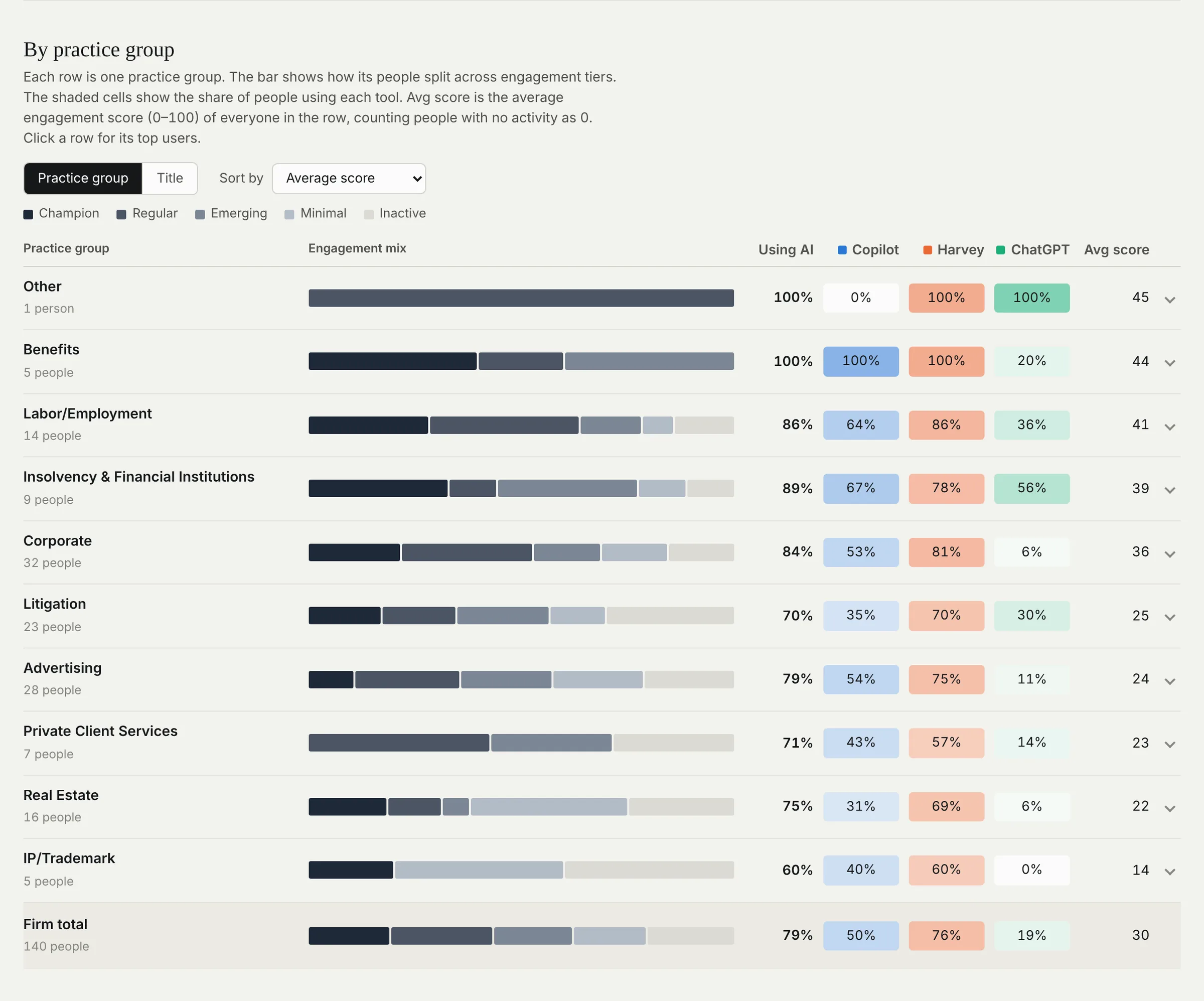
Practice groups, side by side.
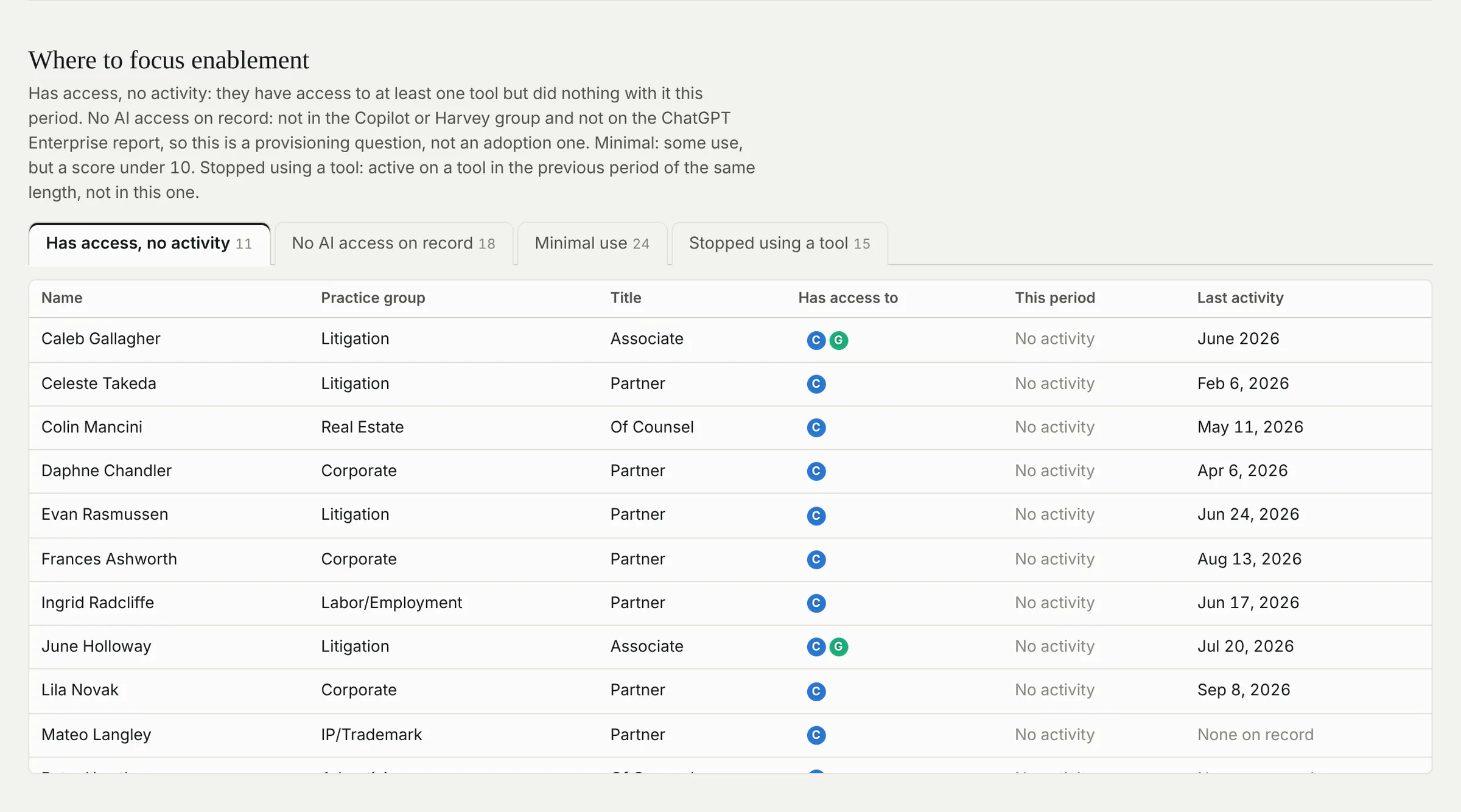
Adoption by practice group and by tool shows where AI has taken hold and where it hasn’t. Enablement lists name the people with access but no activity, ready for targeted training.
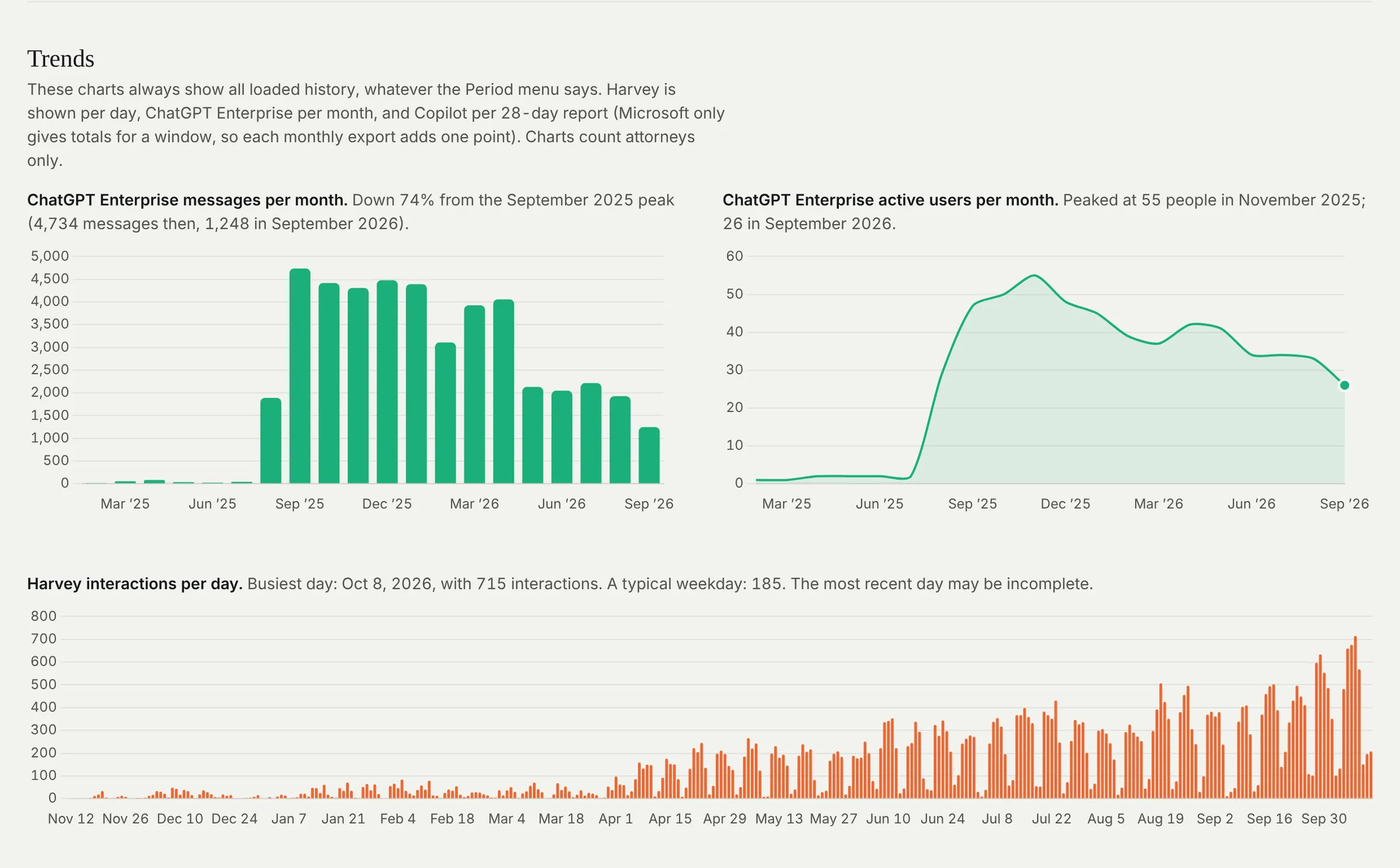
Trends that explain themselves.
Each chart writes its own caption, such as the peak month, the change since then and a typical weekday, so the takeaway is in words, not left to interpretation.
Light or dark. Desk or phone.
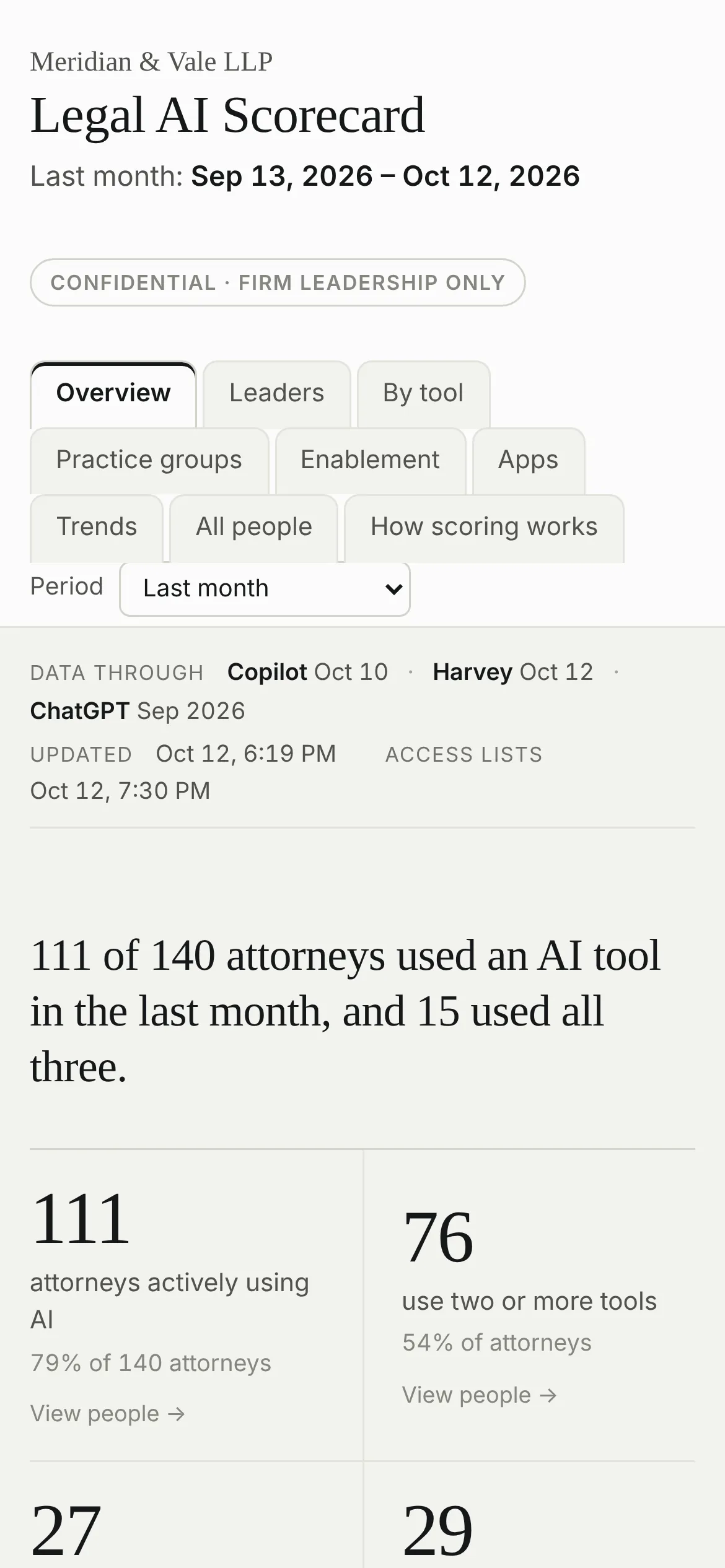
Follows the viewer’s theme and reflows for a phone, so a partner can check adoption between meetings.
How it works.
No new servers, databases or cloud services. A static site on the firm’s existing IIS server, fed by the exports IT already had.
Sources
- Copilot usage report (CSV)
- Harvey usage export (XLSX)
- ChatGPT Enterprise usage export
- Active timekeepers roster
- AD and Entra access groups
Load and check
- Admin upload or PowerShell loader
- Files recognized by their columns
- Duplicates removed, history kept
- Every load archived; one-step restore
Model
- People matched across systems
- Tool scores: volume and frequency
- Engagement score and tiers
- Automatic data-health checks
Leadership
- Windows sign-in, AD group access
- Any period, any group, any person
- CSV export of every list
- Desktop, phone, light and dark
Private by design.
It holds individual usage data, so it was built like a system of record rather than a slide.
Only leadership sees it
Windows authentication and IIS URL authorization limited to one directory group. Internal only.
Read-only by construction
Directory groups are read with read-only Microsoft Graph permissions, with the sign-in closed after every run and no stored credentials.
Nothing loads from outside
A strict content security policy and all libraries hosted locally. No CDNs, no tracking, no third-party calls.
Named publishers only
The upload service accepts files only from named IT administrators. Everyone else sees the page, never the controls.
Preview, then change
Every server script runs a preview first. Nothing is deleted: removed files move to an archive and any load can be rolled back.
Numbers you can audit
An independent recount script rebuilds every figure from the raw exports. It matched the dashboard in every period.
What it gives the firm.
Spend accountability
Seats owned, assigned and actually used for every tool, with the list of idle seats ready for renewal talks.
Targeted enablement
Training goes to the practice groups and people who have access but aren’t using it, rather than to everyone.
Evidence for leadership
Adoption trends and champions by practice group give AI steering discussions a shared set of facts.
Access governance
Flags people still using a tool after their access was removed, and group members who aren’t on the current roster.
Trust in the numbers
Data-health checks warn about stale exports, unmatched names and gaps before anyone reads a wrong figure.
Low cost to run
Runs on existing infrastructure and takes about fifteen minutes a month, with a written runbook for each step.
My role.
From question to production
- Product: gathered requirements from firm leadership and defined what “using AI” means across three tools.
- Data and scoring: designed the people matching, tool scores, engagement tiers and data-health rules.
- Design: a leadership-first interface in plain English, with every figure traceable to a list of names.
- Infrastructure: IIS deployment, Windows authentication, upload service, PowerShell automation and hardening.
- Operations: monthly runbook, rollback procedures and an independent verification script.
Built with an AI pair programmer, directed through requirements, review and testing.
Built with
What’s next
- Adoption by timekeeper tier and seniority
- Substantive versus administrative AI use
- Correlation with billable-hour data
- API feeds in place of monthly exports